الثلاثاء، 14 سبتمبر 2010

SBRotator 2.1.2


SBRotator 2.1.2


Update v2.1.2. updated to Support iOS 4x and compatibility InfiniFolders and Five Dock Icon and More.

SpringBoard Rotator is a tweak that allows icons to fit on a lanscape mode (landscape), by their mere rotation and throughout the interface.
4 modes of rotation.


But some options like startup rotation mode, scrolling left-right on semi-rotating mode and settings do not work on new iOS4.

Change log on v 2.1.2 :
  • - Added support for InfiniFolders
  • - Fixed Several Bugs iOS4
  • - Fixed end year with one FiveIconDock iOS 4
  • - Added support for SnappyHook> = v2.2
  • - Fixed dock image in landscape
  • - Added extra options in settings

  •  SBRotator SBSettings 1.0-6 Toggle to enable or disable the rotation.


Without the option Semi Rotation Mode.


  •  To quickly block the rotation in the state where you are.
  •  Click on the small cabin located in the status bar.

Shoot Pictures Like a Pro with ProCamera


Shoot Pictures Like a Pro with ProCamera


procamera iphone
ProCamera for iPhone is a photography app that enhances the ability of your basic iPhone camera. ProCamera is rich with control features that many users may have noticed are missing from the ordinary iPhone camera. The fullest features, such as video recording, focus exposures and compass function require 3GS or iPhone 4, but even 3G users running iOS4 can experience some of the other cool features.


ProCamera has a variety of control settings that help improve the quality of photos taken with your phone. Features like grid guides for professional photo arrangement, 5x zoom, easy alignment with the horizon guide, and size and shutter speed control are all present and accounted for. (…)
Read the rest of Shoot Pictures Like a Pro with ProCamera

الأحد، 12 سبتمبر 2010

How to Enable HDR Photos on iPhone 3GS, 3G

The iPhone hacker Will Strafach has successfully developed his new tweak to enable HDR photos on iPhone 3GS and iPhone 3G which is avaialble for iPhone 4 only! but remember it needs a jailbroken iPhone 3GS / 3G on iOS 4.1 which is not jailbroken for public right now, but it will be available as soon as it's ready. Stay tuned!!
undefined
Here's the steps mentioned by the genius Will:
Step 1: You need a jailbroken iPhone on iOS 4.1, Wait for a public jailbreak for iOS 4.1 and we will update for guides.
Step 2: Install OpenSHSH from Cydia by navigating to Search tab in Cydia and search for "OpenSHSH" then install it.
Step 3: You have to grab the following files:
  • If you have an iPhone 3G, grab the file located at /System/Library/CoreServices/SpringBoard.app/N82AP.plist
  • If you have an iPhone 3GS, grab the file located at /System/Library/CoreServices/SpringBoard.app/N88AP.plist
Step 4: Add a key named “hdr-image-capture” with a boolean value of “true” to the “capabilities” section of this property list
Step 5: Save it, and use SSH to replace the copy on the device with your modified version
Step 6: Restart SpringBoard, or just reboot your device. You should now have access to the HDR setting in the camera application.

الأحد، 5 سبتمبر 2010

Have trouble logging into Twitter for iPhone

Have trouble logging into Twitter for iPhone, Twitter for Android or another 3rd party mobile application? Are you seeing "Unauthorized" or "Invalid username and Password" error when you try to sign in? This is most likely caused by incorrect timezone settings.
If you are experiencing this issue please check your timezone and time on your device.

iPhone:
  • Go to Settings > General > Date & Time
  • Tap 'Time Zone' and verify that is set to your local timezone.
  • Go back to 'Date & Time'
  • Turn 'Set Automatically' to 'ON' or tap on 'Set Date & Time' and manually input the correct local time.
Android:
  • Press the menu button > Settings > Date & time
  • Tap 'Select time zone' and verify that is set to your local timezone
  • Go back to 'Date & time' (press the back button)
  • Check the 'Automatic' option or tap on 'Set time' and manually input the correct local time.
If this does not resolve your issue and you're using one of the official client apps you can file a support request. If this does not resolve your issue and your on a 3rd party app (Twitterific, Echofon, Tweetdeck, etc) we urge you to contact their customer support

الأحد، 1 أغسطس 2010

JailbreakMe الجيلبريك الجديد الان للايفون iOS 3.1.2, 3.1.3, 4.0, 4.0.1 or iPad 3.2.1

Jailbreaking your iOS device may be officially permitted under the DMCA, but that presumes there’s a jailbreak out there to run. Happily, anyone with an iOS 3.1.2, 3.1.3, 4.0, 4.0.1 or iPad 3.2.1 device now has a super-straightforward way to jailbreak, thanks to comex’s new JailBreakMe site

Doing so is as easy as visiting http://jailbreakme.com/ on your iPhone, iPod touch or iPad and sliding the
 appropriate control. Right now the site is up and down as eager users attempt to access it, so you may be better off waiting a while.


Of course it’s also worth remembering that, while the DMCA says it’s okay, Apple says jailbreaking your
device will nonetheless invalidate your warranty. As with any hack, attempt it at your own risk!
 
 
تم تجربه الامر على جهاز 3 جى اس 32 جيجا على اى او اس 4 وبكل سهوله وبشكل لم اكن اتخيله مجرد الدخول على موقع http://jailbreakme.com/ ومن ثم سحب السهم لليمين وانتظار التحميل يجب ان تكون موصل الموبايل بالكابل انتظر التحميل ومن ثم ستظهر لك رساله بان السيديا الان على الهوم سكرين وبالفعل دخلت عليها وتم تحميل برامج منها والافضل في كل ذلك انه تم اغلاق الهاتف وفتحه بلا اى مشاكل تذكر نهائيا مبروك عليكم الجيلبريك الجديد


السبت، 3 يوليو 2010

الفرق بين آيفون 4 و آيفون 3GS


بعد أن وضحنا لكم مواصفات الآيفون الجديد iPhone 4، نقدم لكم الفرق بينه وبين آيفون 3GS


iPhone 4


iPhone 3GS
السعة والسعر16GB $199
32GB $299
(أسعار أمريكا مع عقد من شركة AT&T)
8GB $99
(سعر أمريكا مع عقد من شركة AT&T)
الشاشة
  • دقة عالية الجودة بتقنية Retina display
  • دقة الوضوح 960x640 بكسل
  • 326 ppi
  • خاصية اللمس المتعدد Multi-Touch

  • دقة الوضوح 480x320 بكسل
  • 163 ppi
  • خاصية اللمس المتعدد Multi-Touch
الاتصال بالفيديو الاتصال بالفيديو عن طريق FaceTime عبر الشبكة اللاسلكية WiFi

الكاميرا

  • 5 ميقابكسل
  • فلاش LED
  • Backside illumination sensor
  • Autofocus
  • Tap to focus
  • كاميرا أمامية

  • 3 ميقابكسل
  • Autofocus
  • Tap to focus
تصوير الفيديو
  • تسجيل فيديو بوضوح عالي الدقة HD
  • Tap to focus while recording
  • يمكن تشغيل الفلاش أثناء تصوير الفيديو

  • تسجيل فيديو بوضوح عادي VGA
  • Tap to focus while recording
التقنيات
  • خاصية اللمس المتعدد Multi-Touch
  • تقنية وا فاي إن لسرعة أعلى ومدى أكبر 802.11b/g/n Wi-Fi
  • سرعة اتصال عالية 7.2Mbps HSDPA
  • سرعة اتصال عالية 5.8Mbps HSUPA
  • نظام تحديد المواقع GPS
  • Accelerometer
  • 3-axis gyro
  • معالج آبل المتطور Apple A4 كالموجود في الآيباد
  • مايكروفون إضافي لإلغاء الضوضاء

  • خاصية اللمس المتعدد Multi-Touch
  • 802.11b/g Wi-Fi
  • سرعة اتصال عالية 7.2Mbps HSDPA
  • نظام تحديد المواقع GPS
  • Accelerometer
المواصفات المشتركة

فك حماية الآيفون بواسطة BlackRa1n للإصدار 3.1.2


هذه هي تعليمات عن فتح حماية و تفعيل الآيفون الجيل الثالث 3G و3GS باستخدام BlackRa1n وBlackSn0w على الويندوز.

هذه التعليمات سوف تعمل مع أحدث سوفتوير 3.1.2 و البيس باند05.11.07 ، والايفون الذي يتطلب hactivation.

بالنسبة لأصحاب 3Gs الجديد (تحديث بووت روم) ، BlackRa1n هو تفعيل فقط. وهذا يعني أنه بمجرد jailbroken (التفعيل) يجب ألا ندع البطارية تموت (تكمل أو تتم أو تفرغ). إذا كان البطارية فضت او كملة ، ستحتاج الى توصيل الأيفون الى جهاز الكمبيوتر واستخدام BlackRa1n مرة أخرى لتفعيل الجهاز. لأصحاب (updated Bootrom)

قبل المتابعة يجب التأكد من انك على البيس باند 05.11.07 
.إذا كان جهازك بسوفتوير قديم يرجى التحديث الى 3.1.2 باستخدام iTunes قبل الاستمرار.

يمكنك العثور على نسخة للماك
من هنا. طيب لنبدأ...


الخطوة الأولى
فتح متصفح الويب الخاص بك وانتقل إلى
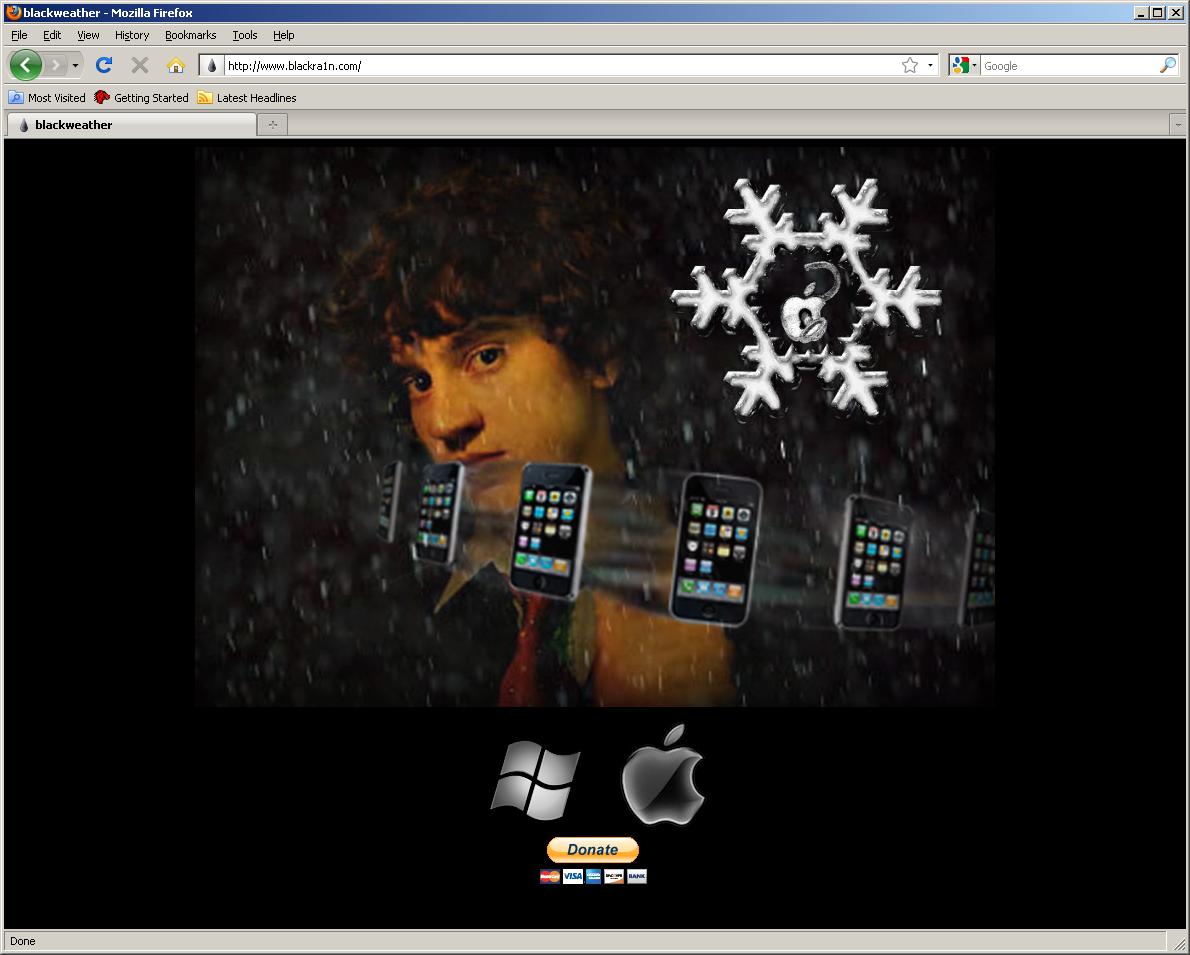
http://www.blackra1n.com.. إضغط فوق Windows الشعار في أسفل الشاشة.